

When you’re building or testing a site, not everything is ready for public eyes. Sometimes you need a way to share progress privately—without publishing, without workarounds, and without overcomplicating things.
That’s where Basic Authentication comes in.
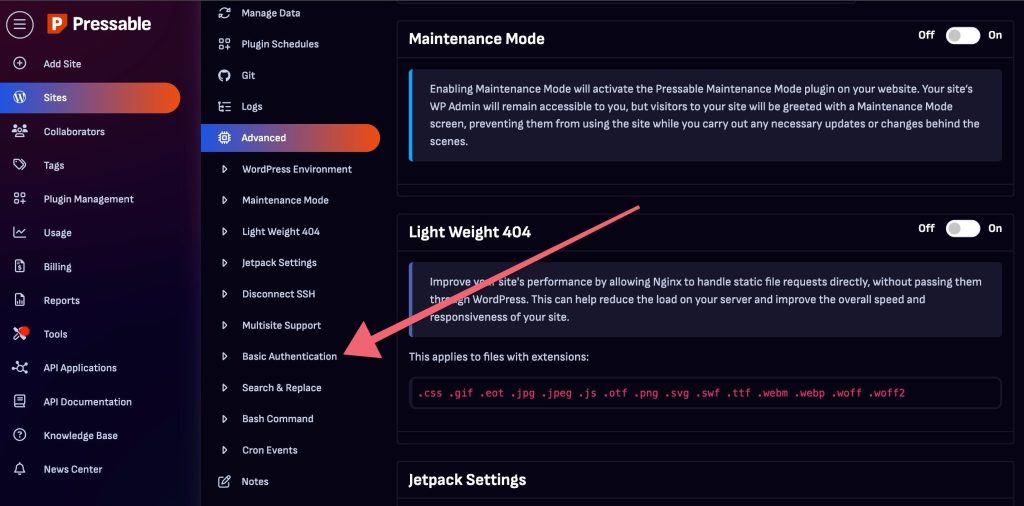
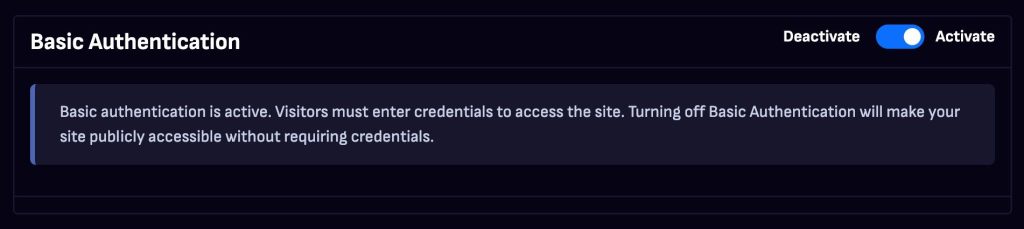
Now available in the My Pressable Control Panel, Basic Authentication lets you restrict access to your site with a simple username and password prompt. It’s ideal for staging environments, early client reviews, or internal QA—anytime you want to show the real site experience to a limited audience.
Unlike Maintenance Mode, which shows a placeholder screen to all visitors, Basic Authentication keeps your site live behind a login prompt. That means the full site can still be explored—just not by everyone. It’s a cleaner, more flexible way to manage visibility during the development process.
You can enable it from the Advanced section of your site settings in just a few clicks. Add your credentials, save, and the protection is in place. You can also control the setting via our API, and all changes are recorded in your site’s activity logs for full transparency. For added protection, Basic Authentication is now automatically enabled on all sandbox sites.
It’s a small toggle that adds a lot of peace of mind—and it’s available now.